HU Alerts and LiveSafe Campus Safety App
Office of Public Safety
Stay safe and connected with LiveSafe
LiveSafe is a platform that Hamline Public Safety uses to send emergency notifications – called HU Alerts – to the entire campus community and provide additional safety features to mobile device users via the LiveSafe mobile app.
Students and staff members are automatically opted in to receive HU Alerts at their Hamline email address. They can also get HU Alerts via voice message and text message by making sure their mobile phone number is up-to-date in Workday.
Another way to receive HU Alerts is via push notification to your mobile phone when Hamline University is selected as your location in the LiveSafe app.
Remember that email is the communication channel you are least likely to see in an emergency situation. That’s why Hamline Public Safety strongly recommends you maintain an up-to-date phone number in Workday and set up a profile on the LiveSafe app.
For more information, contact Hamline Public Safety at 651-523-2100 or security@hamline.edu.
Campus safety app
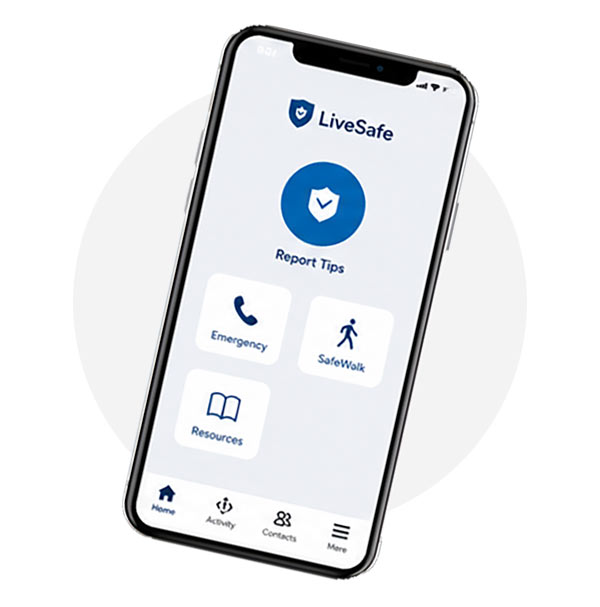
The LiveSafe mobile app offers enhanced safety features for the Hamline community:
- Make a report:
Report tips and concerns to Hamline Public Safety instantly (anonymously or not). - Emergency options:
Call 911 or Hamline Public Safety at the touch of a button. - Panic alarm:
Notify Hamline Public Safety of your location without speaking or typing. - Resources:
Find maps and other safety and security information. - SafeWalk:
Get a virtual safe walk from a family member or friend. - Enable location services
The app works best when you allow LiveSafe to access your location by selecting "Allow" and "Always" in your mobile device's Location Services settings. This will enable Hamline Public Safety to find you quickly in a situation that threatens your safety.



How to use the LiveSafe app
